Among all the animation exercises I wanted to try and experiment with at least one of them and it ended up being the Lip Sync exercise. Looking at last year’s compilation, I was struck by how each entry had a different style and treatment, and that motivated me to try and make this in Blender with grease pencil.
Though I had a few troubles with figuring out the method to achieve what I was going for, the primary hurdle seemed to be deciding what I wanted to do with the prompt in the first place. I admit I was trying really hard for it to be funny and spent a lot of time overthinking my line and my storyboard over and over again. For the prompt, ‘lost in translation’ I was talking about how my perceived personality changes when I switch languages, and had a moment when the character literally flips a switch and we see them change. It was all in English, but I received feedback that it would make more sense to actually change languages. My concern, I suppose, was that Bangla is structured very different from English and the line wouldn’t make any sense, and the joke might very literally be lost in translation.

Eventually the deadline meant I had to get out of my own head and just make it, tweak it later.
I had hit a similar bump with the Silent Movie acting exercise where I felt like I had spent too much time just overthinking what my idea was, being generally very indecisive and unsatisfied with whatever I could come up with. In one our lectures where Sue Tong was here, she mentioned being stressed about whether an idea is good enough and the best thing to do in the scenario is to just take a call, even if ends up being the wrong call eventually. Things can be fixed later, and it would be far more productive to have something than nothing at all.
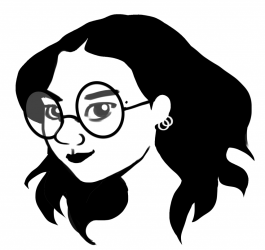
Once I started, I sketched out a simple character who obviously looks one way, making it funny when she switched behaviour. I realised I am far more comfortable in Maya than Blender (the shortcuts and formatting difference really gets frustrating), so now I had to find a way to model and rig a character in Maya but then bring it into Blender to use Blender’s grease pencil feature. After a failed attempt and consulting Pat Robinson, I realised Maya and Blender have different logics for constraints, and so rigs are not easily transferable. So I have to animate the body language for the character in Maya, bake the animation to the joints and then carry it into Blender just for the texturing, grease pencil and render part.
While this method meant I got to try out a style I had wanted to try for a long time but did not have someone to troubleshoot with, it did mean I had lesser time left for the expressions and lip sync part of the exercise. I made a chart and drew out mouth shapes for the whole line word by word in my notebook, which made my life much easier.
There are still things to tweak and things I would like to do differently when I make something like this again, but I’m still glad I simply went ahead and made it, failed and tried again instead of being paralysed.